
Tiny Core Linux is a very small (10 MB) minimal Linux Desktop. It is based on Linux 2.6 kernel
Tiny Core Linux, not being a complete Desktop, requires the internet to access to our repository of applications. Everyone should take the time to read this document and understand the design philosophy behind Tiny Core Linux. This will insure a more pleasant experience.
It is not a complete desktop nor is all hardware completely supported. It represents only the core needed to boot into a very minimal X desktop typically with wired internet access.
The user has complete control over which applications and/or additional hardware to have supported, be it for a desktop, a nettop, an appliance, or server, selectable from our online repository.
You can download this small Linux at Here.


Puppy Linux, a small, light and mini Linux has released the version 4.1. As described on its release notes, Puppy 4.00 was a major upgrade from 3.01, with just about everything overhauled and updated.
Now, the version 4.1 continues the hectic pace of development, with ground-breaking new applications and under-the-hood architectural improvements over 4.00. Ground-breaking apps include our new Psip VOIP and PPLOG personal blog. Under-the-hood includes faster boot times, much better hardware detection, and new 'pup_event' architecture (including desktop drive icons).
The live-CD file is 'puppy-4.1-k2.6.25.16-seamonkey.iso' at 94.1MB and 'puppy-4.1retro-k2.6.21.7-seamonkey.iso' at 94.6MB. The latter is a more conservative kernel that perhaps suits older systems.
You can get this new version of Puppy Linux at Here.
Myah OS is a complete Linux solution built around the Lightweight X11 Desktop Environment. The LXDE desktop is designed to be the smallest, fastest and yet fully functional desktop for UNIX/Linux systems.
It's important to note that Box is not meant to be a light system. Instead it's meant to be a fully functional system built around a light desktop. There are many extremely light Linux systems out there already like Damn Small Linux and Slax.
Myah OS 3.0 Box is for people who want a full blown system built around a light desktop. Box comes with much of the same software that was found in Mouse Pro.
You can download the ISO of Myah OS 3.0 Box at Here.
 First stable version of TinyMe, a PCLinuxOS based mini distribution that designed for older computers and people who want a very light and fast desktop environment, is out.
Although TinyMe comes as a small, 200MB ISO, it provides tools for most all of your everyday wants and needs:
- AbiWord Word Processor
- Opera Web Browser
- Audacious Media Player
- GThumb Photo Viewer and Digital Camera application
- Asunder CD ripper
- Easy-to use Control Centers which make customizing your system and desktop look 'n feel a snap.
- Sylpheed E-Mail Client
- ePDFView, a PDF Viewer
- SciTE text editor
- and even a couple of small games.
TinyMe's desktop environment consists of Openbox for the window manager, LXPanel for the panel, Nitrogen sets the wallpaper, and iDesk provides the icons.
More info, forum, IRC and Wiki of TinyMe can be reached at here, and you can download this new version of it at here.
 The development team of Puppy Linux has announced availability of new release of Puppy Linux, a major updated of the minimalist desktop distribution. Its the 4.00 version.
For who don't know, Puppy Linux is yet another Linux distribution. What's different here is that Puppy is extraordinarily small, yet quite full featured. Puppy boots into a 64MB ram disk, and that's it, the whole caboodle runs in RAM.
Unlike live CD distributions that have to keep pulling stuff off the CD, Puppy in its entirety loads into RAM. This means that all applications start in the blink of an eye and respond to user input instantly. Puppy Linux has the ability to boot off a flash card or any USB memory device, CDROM, Zip disk or LS/120/240 Superdisk, floppy disks, internal hard drive. It can even use a multi session formatted CD-R/DVD-R to save everything back to the CD/DVD with no hard drive required at all!
Now, this Puppy has all drivers built-in for scanning, digital camera, printing (Gutenprint), audio recording/editing/conversion, making it a complete multimedia environment ...yet is only 87.1 MB!!! Of course this is in addition to being a complete office environment, in addition to having a huge collection of useful utilities, in addition to anything else you can think of...
Alternative 4.00 live-CD with 2.6.25 kernel
The 'standard' build of Puppy 4.00 is file puppy-4.00-k2.6.21.7-seamonkey.iso, which is 87.1MB, compare that with Puppy 3.01 'standard' (with much less functionality) which is 98.6MB!
The team have also built puppy-4.00-k2.6.25-seamonkey.iso, using the latest Linux kernel. This may not be quite as mature for wireless network connectivity though. Choose this one if you want support for a dual-core CPU (but the 'standard' build with mono-core 2.6.21.7 kernel works on dual-core systems). Also, strangely enough, we have more success booting older PCs with the 2.6.23 and later kernels, so try this one if Puppy fails to boot.
The 2.6.25 kernel is configured with the unified /dev/sd* and /dev/sr* drive naming, which may cause some difficulty if you need to configure GRUB.
For more information about Puppy Linux can be reached on its site. Btw, you can download ISO of this new Puppy Linux (only 87 MB) at here.
 The release of SymphonyOne 2008.1, an Ubuntu-based distribution with Mezzo, an alternative desktop environment, is available now. Symphony OS is a distribution of GNU/Linux based on the Debian GNU/Linux and KNOPPIX operating systems. Symphony will do things a bit differently than other Linux operating systems; making it easier to use and more intuitive than most existing distributions.
SymphonyOne is an almost 100% rewrite of all the Mezzo desktop code taking advantage of more features of fvwm to provide a smaller footprint and more stable environment. Based on Ubuntu 7.10, SymphonyOne provides a complete desktop environment and full Ubuntu compatibility on systems with as little as a 200mhz processor. SymphonyOne also introduces our new WebApps system which allows you to make any website into a program in your programs menu which runs as it’s own process in it’s own window.
Main Features:
- Based on ubuntu 7.10 with all the latest updates.
- Compatible with all Ubuntu packages
- Ubiquity installer (same as ubuntu)
- Completely rewritten Mezzo Desktop (Mezzo v.2) implemented using more features of FVWM giving it a lighter footprint
- System management by Gnome-System-Tools (network, display, users, etc.)
- Web App System (similar to Mozilla Prizm but implemented in Orchestra and fully integrated into the system). Inside firefox there is a button (bookmarklet) that when clicked takes you to a wizard that allows you to make the current page a web app. Web apps are displayed in the programs menu like any other program, using the favicon.ico from the site in question as it’s icon. When launched, the web app is run in it’s own window seperately from firefox.
- With the changes in the Mezzo desktop we have thrown away our old desklet system which was never really adopted by developers and have moved to adesklets in this release.
You can download SymphonyOne at Here.
 The Sidux's development team has announced the release of Sidux 2008-01, a desktop distribution based on Debian. Sidux 2008-01 is shipping in roughly 435 MB KDE-lite flavours for AMD64 and i386 (i686) and a combined i386+amd64 release with 1,470 MB KDE for KDE-full.
Sidux is a full featured Debian sid based live CD with a special focus on hard disk installations, a clean upgrade path within sid and additional hard- and software support. The ISO is completely based on Debian sid, enriched and stabilized with sidux' own packages and scripts.
As development team said, Sidux 2008-01 concentrates on KDE 3.5.9, the large changes implied by Kernel 2.6.24.4, the newly added "resolvconf" facilities to deal with DNS settings in combination with "Ceni" and our new build system for sidux. Furthermore a large number of individual functionality enhancements and bugfixes have been applied to the full package line up.
Talking about upstream development, kernel 2.6.24 has merged "i386" and "x86_64" as sub-architectures for the new generic "x86" architecture and offers support for further wireless lan devices like RealTek RTL8180L/ RTL8185, UVC video support for Logitech webcams, high resolution timers and dynamic ticks for amd64 systems. Especially these kernel related changes have imposed a number adaptions on sidux' kernel release process, which is now provided by packages closely following Debian's lead and are finally, accompanied by a number of GPL2 compatible external module packages, available through plain apt-get.
Another major topic has been the dissolution of the former "sidux" menu into the XDG compliant menu categories, which — in combination with the new SVG based artwork — allow for better compatibility with alternative window managers and desktop environments and have been a precondition for future KDE4 or potential GNOME or XFCE support. Likewise a number of packages have undergone major changes or been replaced by new approaches (like Ceni replacing netcardconfig) all together.
You can download Sidux at Here or Here.
 PUD GNU/Linux is a mini LiveCD based on Ubuntu Linux, which takes up small size, with (both Simplified/Traditional) Chinese enhancements.
This release is a development version of PUD but contains lots of experiments and new features so that we would like to make it a beta release, including installer, new package selection, enhanced livecd build kit, kernel patches, optimizations to speed up boot time, and better laptop/mobile device support.
PUD Linux has minimalist desktop that pre-configured and selected applications. With "Plate" User Interface, an elegant way to use your desktop. There is more than one way to boot on PUD Linux as it has feature LiveUSB, Boot to Ramdisk. With "Opt-Get" Plugin System, its easy to do one-click install system to add more applications
More features:
- Patched Kernel and Optimized: squashfs+lzma, aufs, and more..
- Various Backup Methods: backup/restore your data just like permanent installation
- "Build-LiveCD" ToolKit: customize your own live cd easily and automatically
More info can be reached at PUD Linux's site. Btw, you can download this new release of PUD Linux at Here for LiveCD and Here for LiveUSB and Here for Build Kit.
 The final release of GoblinX 2.6 Standard edition, a Slackware-based live CD for the desktop has announced. As the development team said, GoblinX Standard is the original edition which was first released in October 2004. It includes five windows managers: KDE, Fluxbox, Xfce, Enlightenment and WindowMaker.
The main upgrades since release candidate 1: Added SLAX firewall; added more options to Isolinux menu; rebuilt GtkDialog interfaces to prevent resize action; corrected several errors and bugs; corrected Kill button in media manager interfaces; upgraded some libraries and packages, including xorg-server; corrected some sudo issues; removed X.Org default resolution; removed some libraries; added more services to boot; added more auto-start options; corrected Ivman issues.
More info can be found at Goblinx's site and the ISO of this release can be download at here.

The GoblinX Mini Edition is the son of GoblinX and contains only XFCE as windows manager and GTK/GTK2 based applications.
Main upgrades since previous release:
- Added Slax(Tomas) firewall as default.
- Added more options to Isolinux menu.
- Rebuilt Gtkdialog interfaces to not allow resize action. Corrected few errors and bugs.
- Corrected Kill button in media manager interfaces.
- Added Ghdcpd, Xrefresh, Gnome-utils and Bluez packages.
- Upgraded some libraries and packages including Xorg-server. Changed z.Goblix for z.Mini, a different GoblinX module for Mini edition.
- Corrected some Sudo issues.
- Removed Xorg default resolution.
- Removed some libraries.
- Added more services to boot.
Download this new release of light-weight, Slackware-based live CD featuring the Xfce window manager at Here.
 New Beta release of Absolute Linux 12.1 has been released. Absolute Linux is a light-weight modification of Slackware using the IceWM window manager.
Here's the release notes of Absolute Linux 12.1 Beta 2 that its development team said:
"This is another new kernel (2.6.23.12) which I compiled with tickless (for laptop lower-power, for battery life extension). Also switched preemption model to low-latency desktop, plus the usual extra includes instead of modules for user-needed stuff like MMC (SD) cards, USB mass storage, NTFS, etc.
Other major change is for wireless - switched to wicd. Be sure to enable wicd daemon when installing if you want to use wireless, when you do this you will see the wicd tray icon next to the clock when using IceWM, you can configure wicd from there. Package highlights: GIMP 2.4.3, Firefox 2.0.0.11, GTK+ 2.12.4, libpng security fix, and about 100 other packages."
Btw, you can download this beta release at here.
 Damn Small BSD (DSBSD) is a small (50mb or less) FreeBSD live-CD desktop environment geared toward developers and system administrators, but we also include applications that the average user may find handy.
DSBSD comes with everything you need in a basic desktop environment. We include the fluxbox window manager, firefox, xmms, and many other applications. We also include tools to help you get work done, such as an ssh server, a mini httpd, xvncviewer, and more.
The goal of this project is to be able to run on older hardware with little memory, as well as modern machines, while providing a responsive desktop. DSBSD support both SMP and uniprocessor machines.
You can download this Damn Small BSD at here.

After several months and 5 release candidates of upgrades and retooling DSL to additionally provide drag-n-drop document centric computing, today Robert Shingledecker presents Damn Small Linux v4.0 Final Release.
DSL was originally developed as an experiment to see how many usable desktop applications can fit inside a 50MB live CD. It was at first just a personal tool/toy. But over time Damn Small Linux grew into a community project with hundreds of development hours put into refinements including a fully automated remote and local application installation system and a very versatile backup and restore system which may be used with any writable media including a hard drive, a floppy drive, or a USB device.
What New and Change of DSL 4.0:
- Upgraded kernel from 2.4.26 to 2.4.31.
- Created new support modules: cloop, unionfs, ndiswrapper, fuse, and madwifi in support of kernel change.
- Changed icon/file manager to dfm for drag-n-drop capability.
- Updated murgaLua to v0.5.5
- Updated nano-tiny to v2.0.6.
- Updated Xpdf to v3.0.2
- Updated flrun.lua to v1.1.2
- Updated "Getting Started" to reflect the many changes implemented in 4.0.
- New dfmext.lua GUI tool for dfm associations.
- New xtar.lua. A new GUI to view,extract or process as a MyDSL extension various tar files.
- New netcardconf.lua. A new GUI to configure netcards, relaces dialog version.
- New printing.lua, called from the printer icon, provides "intelligent icon" to handle all printing needs, from setup, start, stop, or print, double-click or drag-n-drop.
- New add2filetool.lua, add2Xfiletool.lua, add2bootlocal.lua provides smooth interface for these tasks, double-click or drag-n-drop
- New switcher.lua GUI to switch WM, jwm, fluxbox, or swm
- Added sudo to myprism2, myndis, myiwconfig so they can be run from home by double clicking associated icons.
- New automatic update of etc.ld.cache for better support of uci extensions.
- Updated frugal_grub install to prompt for MyDSL, boot options, and langauge options.
- Added 'checkfs' option to grub menu for frugal grub installations.
- Fixed non-critical bug in dsl-config concerning hard drive installations.
- Added dsl 3 runlevel for multiple user dsl consoles.
- Fixed bug in iwconfig-setup
- Updated fluxbox menus to use system default font (helvetica).
- Added vim link.
- Patched knoppix-autoconfig to correct language issues.
- Updated minirt24.gz waitusb function.
- Fixed cloop error on traditional hard drive installations.
- New pendrive usbhdd installation script now uses grub with DSL on 2nd small partition and prompt for boot options.
- Removed pendrive usbzip install script, syslinux and mtools.
- Added taskbar buttons & click to focus in .jwmrc
- Added emelfm - dropped mc
- Created new Standard Boot floppy & PCMCIA modules floppy.
- Updated getman/man url
- Updated .torsmo_ip to fetch ethernet device from /proc
- Updated functions5.lua
- Updated DSLpanel Backgrounds calls dfm background option
- Update mydslDownload.lua
- Factored out .jwmrc-tray for better user control of tray icon choices.
- Restored busybox link to provide rpm2cpio.
- Added gettime.lua to jwm and fluxbox menus.
- Added dfmext GUI, add2bootlocal, add2filetool, and add2Xfiletool to jwm and fluxbox menus.
- Added libm.so link

MitraX is Live Linux distribution based on Slackware Linux which can be booted from CD. With its size of 50MB MitraX can be stored on business-card CD and carried anywhere.
MitraX, currently in version 1.0.1 is mainly intended to be used by system and network administrators but it can be easily used by anyone else. You don't need any experiance with Linux in order to use it - all important programs have graphic interface. MitraX now with full read-write NTFS support.
With MitraX, you can change or delete forgotten password on Windows operating systems or even BIOS. CD contains programs which enable safely hard disk partitioning, provide detailed informations about your system and much more.
Requirements:
- bootable CD-ROM drive
- hard disk is not needed
- at least 96 MB RAM for graphic environment and completely caching MitraX into memory
- Intel-compatible CPU (Pentium or later)
Graphics: GIMP - image manipulation, GqView - image preview, InkScape - SVG editor, colorpicker.
Office: AbiWord - word processor, BlueFish - the best free HTML and programming editor, GnuMeric - spreadsheet editor, GCalcTool - graphical calculator, gv - a PDF and PostScript viewer.
Internet: Opera - browser and e-mail client, Apache - web server, Dillo - browser, vsftpd - secure FTP server, gfpd - graphical FTP client, gitmail - anonymous e-mail sending, Xmail - mail server, traceroute - Internet traffic supervisor.
Network: NMap - network exploration tool and security scanner, AirSnort - a tool for checking wireless security, HydraGTK - a tool for checking network computer password reliability, Gspoof - working with TCP/IP packets, Ettercap - a multipurpose sniffer over switched LANs, LinNeighborhood - Samba client, telnet and SSH, TSClient - Terminal Server Client.
Multimedia: Mplayer - video and audio player, Simple CDR-X - CD and DVD media burning and music ripping.
Games: chess, xskate, Ltris, GnoMine and much more funny programs (xsnow, rubix, xeyes...)
FreeDOS: Volkov Commander - file manager, Aida16 - provides detailed information about your system, spfdisk - a partitioning tool, WipeCMOS - BIOS and BIOS password resetting, rawrite - floppy disk copying, MBRwork - Master Boot Record editor.
Other: john the ripper - a tool for checking Windows and Linux password reliability, shred - irreversible file deleting, hdparm - hard disk parameters configuration
Download MitraX here now.

Desktop highlights
Compiz Fusion: This innovative compositing window manager enables 3-D desktop effects that let users work with, and see, their desktops in completely new ways.
Printer installation: In GNOME, printers are automatically configured for use as soon as they are connected.
Free Flash support with Gnash: Ubuntu 7.10 leads the pack with a preview of this Flash browser plugin. Although still actively in development and not yet fully supported by Ubuntu, Gnash gives a glimpse into the future of free Flash, bringing partial Flash support to 64-bit desktop systems.
Automated Firefox plugin installation: Beyond the addition of Gnash, Firefox in Ubuntu now supports automatic installation of popular plugins through the standard Ubuntu package repositories, for a richer web-browsing experience with the integrated security support of the rest of the Ubuntu system.
Server highlights
AppArmor: This easy-to-deploy kernel technology limits the resources an application is allowed to access and can be used to provide an added layer of protection against undiscovered security vulnerabilities in applications.
Pre-configured installation options: Mail Server, Print Server, Database Server, and File Server options join existing LAMP and DNS options for pre-configured installations, easing the deployment of common server configurations.
Edubuntu highlights
Faster thin clients: Thin clients have been sped up significantly through the use of compressed images.
Updated login manager: The thin-client login manager has been completely reworked, with themes for all Ubuntu flavors, support for autologin, and optional unencrypted graphics transport for improved performance on slower hardware.
Kubuntu highlights
As well as the above desktop highlights, the following new features are specific to KDE users:
Dolphin file manager: This updated file manager gives Ubuntu users a glimpse of the upcoming KDE 4.
Strigi desktop search: Another pillar of KDE 4 available now in Kubuntu.
Restricted-manager: Kubuntu 7.10 includes a KDE front-end for easy installation of proprietary drivers, complementing the existing GNOME front-end.
Gobuntu highlights
Gobuntu 7.10 is the debut full release of the Ubuntu version that is composed entirely of open source non-restricted software. For experienced Linux enthusiasts, Gobuntu will act as the test bed for developing a user-friendly operating system with no compromise in terms of the open source philosophy.
This initial release comes without any software from the restricted component, and with artwork for usplash and the isolinux CD bootloader.
 Fedora 8 Test 3 Release Announcement The Fedora Project is a Red Hat sponsored and community supported open source project. Its goal is the rapid progress of free and open source software and content.
The Fedora Project makes use of public forums, open processes, rapid innovation, meritocracy, and transparency in pursuit of the best operating system and platform that free and open source software can provide. This is the last test release before the development freeze and a great time to test all those packages that you know and love. Test 3 is for beta users. This is the time when we must have full community participation. Without this participation both hardware and software functionality suffers.
Fedora is a Linux-based operating system that showcases the latest in free and open source software. Fedora is always free for anyone to use, modify, and distribute. It is built by people across the globe who work together as a community: the Fedora Project. The Fedora Project is open and anyone is welcome to join.
Whats New :
Online Desktop provides a desktop experience designed around online services. A preview of Online Desktop is provided via BigBoard, which is a optional sidebar in GNOME.
- KDE 3.5.7 is available in the KDE Live image as well as the regular DVD. The KDE 4 (Beta) Development Environment is available in the repository.
Live installations are faster and require a smaller root filesystem. The file system layout has also changed somewhat. System files for the Live images are now under LiveOS/, and a new README file has been provided as a short introduction to the live image.
Package management now features much better performance via yum and friends.
The completely free and open source Java environment called IcedTea is installed by default. IcedTea is derived from OpenJDK, includes a browser plugin based on GCJ, and is available for both x86 and x86_64 architectures. GCJ is still the default on PPC architecture.
CodecBuddy is now included, and promotes free, superior quality, open formats to end users trying to play multimedia content under patent encumbered or proprietary formats.
- Bluetooth devices and tools now have better graphical and system integration.
- Laptop users benefit from the "quirks" features in HAL, including better suspend/resume and multimedia keyboard support.
There is now improved power management thanks to both a tickless kernel in x86 and x86_64 architectures, and a reduction in unnecessary processor wakeups via powertop.
- Eclipse 3.3 (Europa), a new release of the great IDE and development platform, is available as part of this release.
The pam_console module has been removed in favor of access control via HAL, which modernizes the desktop.
NetworkManager 0.7 provides improved wireless network management support. It includes support for multiple devices and provides the capability of system-wide configuration, among many other enhancements. This transition may induce some regressions temporarily, and more testing and feedback is appreciated.
- Secure remote management capability is now provided for Xen, KVM, and QEMU virtualization.
- Transifex provides a web-based translation interface to allow users to contribute translation work for Fedora hosted projects as well as being able to provide translations to upstream directly to any upstream project.
- Integration of unique build IDs into Fedora's software building infrastructure now provide enhanced debugging capabilities and core dumps.
Fedora now offers easier rebranding of Fedora derivatives via a generic-logos software package. Changes in Fedora's mirror structure also make creation of derivatives easier.
- Fedora now includes support for Nepali Language, extending its reach to many more users.
You can get Fedora 8 Test 3 in here.
 today announced the availability of openSUSE
 ® 10.3, the newest version of the award-winning community Linux* distribution. Available for free download or in a convenient packaged retail edition, openSUSE
 10.3 provides everything a user needs to get started with Linux.
To improve the user experience, openSUSE
 10.3 includes a flexible Linux-Windows dual-boot configuration, improved user interface, Microsoft Office file compatibility with the latest OpenOffice.org office productivity suite, and enhanced multimedia support.
 “The openSUSE
 community continues to deliver innovations and has created a new version of openSUSE that will excite a wide range of computer users,” said Andreas Jaeger, director of the openSUSE project. “OpenSUSE 10.3 provides a stable and state-of-the-art operating system based on Linux kernel 2.6.22, and it contains a large variety of the latest open source applications for desktops, servers and application development.”
 Enhancements to openSUSE 10.3 include the newest versions of the GNOME and KDE desktop environments, including a KDE 4 preview. OpenOffice.org 2.3 makes sharing files with Microsoft Office users easy, and the newest version of AppArmor™ protects the Linux operating system and applications from attacks, viruses and malicious applications.
OpenSUSE 11.0 and SUSE Linux Enterprise Server Bible
OpenSUSE 10.3 also now includes MP3 support out of the box for Banshee™ and Amarok, which are the default media players in openSUSE. In addition, openSUSE 10.3 offers the latest open source applications for developing applications, setting up a home network and running a Web server, as well as the latest virtualization software such as Xen* 3.1 and VirtualBox 1.5. Version 10.3 makes openSUSE the first Linux distribution to take full advantage of the “1-Click Install” option, which gives openSUSE 10.3 users easy access to many more software packages residing on the openSUSE Build Service.Contributed by a single openSUSE community member, the one-click install is an example of the value openSUSE's strong community of developers, testers, writers, translators, artists and users bring to the distribution. OpenSUSE 10.3 was created by the openSUSE project, the community initiative sponsored by Novell that promotes the use of Linux everywhere. The openSUSE project has more than 54,000 registered members.
OpenSUSE 10.3 is now available for free download at www.opensuse.org.

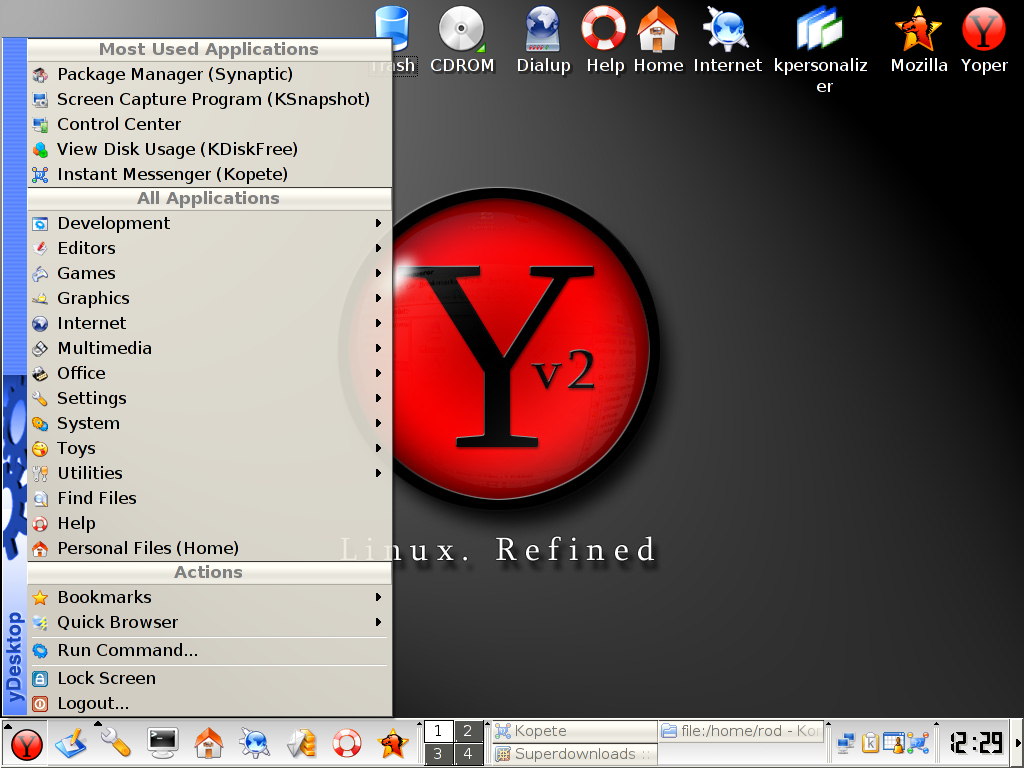
Yoper offers you a fast, stable and desktop orientated operating system. It is based on the famous Linux kernel and is usable for home computers. With the upcoming release it will be usable for business machines, too. Yoper offers you all the important applications on just one CD. Office, graphic, programming, and multimedia applications are already included and many more applications are available for download from our software mirrors. Yoper gives you complete freedom. Free software, free choice of applications that you want to use, the freedom to change your working environment to suit your needs. Get a taste of one of the fastest KDE based Linux distributions currently available. Release News from developer:
We're proud to announce the distribution release of yoper 3.0.1You can download Yoper here.
Titanium. It is the first and only maintenance release for Yoper 3.0.
We are already very busy working on Yoper 3.1, which is scheduled to
be released in Dec 2007.
The focus for 3.0.1 has been bugfixing and updating. There are more
than 500 updated or new packages. This release features kernel
2.6.21.1 including the -ck
patchset with the SD scheduler. It ships xorg 7.3 and compiz for
desktop effects. It furthermore comes with kde 3.5.7, koffice 1.6.3.
and Firefox 2.0.0.7 as well as a large number of other cutting-edge
desktop packages available via online repositories.
This release is shipped in 2 flavors. A slim cd with 142 MB and a live
cd with 678 MB. A DVD will be released in 2 weeks time to include
feedback from the 3.0.1 release.

A new major version of SystemRescueCd, a Gentoo-based distribution with focus on disk partitioning and data rescue tasks, has been released. What's new? SystemRescueCd is a Linux system on a bootable CD-ROM for repairing your system and recovering your data after a crash. It aims to provide an easy way to carry out admin tasks on your computer, such as creating and editing the partitions of the hard disk. It contains a lot of system utilities (parted, partimage, fstools, ...) and basic tools (editors, midnight commander, network tools). It is very easy to use: just boot the CDROM. The kernel supports most of the important file systems (ext2/ext3, reiserfs, reiser4, xfs, jfs, vfat, ntfs, iso9660), as well as network filesystems (samba and nfs).
Major version 0.4 has been released. It adds major features:
- PXE Network booting
- Support for amd64/em64t architecture (x86-64bits processors)
- Support the the sparc architecture (Sun architecture)
- GParted is a Partition Magic clone for Linux.
- GNU Parted is the best text tool for editing your disk partitions under linux
- Partimage is a Ghost/Drive-image clone for Linux
- File systems tools (e2fsprogs, reiserfsprogs, reiser4progs, xfsprogs, jfsutils, ntfsprogs, dosfstools): they allow you to format, resize, and debug an existing partition of your hard disk
- Ntfs3g: allows you to mount your Windows partition and get a full read/write unlimited access to the NTFS partition.
- Sfdisk allows you to backup and restore your partition table
- Test-disk tool to check and undelete partition, supports reiserfs, ntfs, fat32, ext2/3 and many others
- Network tools (Samba, NFS, ping, nslookup, ...)
You can browse the short system tools page for more details about the most important software included. You can also browse the detailed package list if you want to have a full list of the packages you can use.
SystemRescueCd is available for blind people. Now, the linux speakup version 1.5 screen reader is working well, and the speakup keymap is installed. This feature was tested by Gregory Nowak.
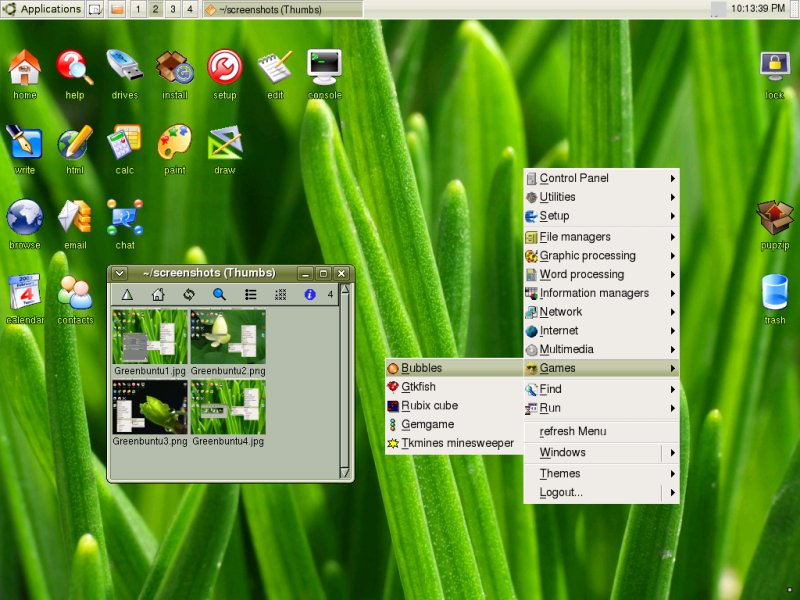
Release notes for Puppy Linux version 3.00 This Puppy is a massive upgrade from the previous (v2.17.1). I decided to aim for close binary compatibility with Slackware 12, with the objective of being able to install Slackware packages and have all or most of the required dependencies already in place. To that end, I used all the building block packages from Slackware 12, such as glibc 2.5, gcc 4.1.2 and gtk 2.10.13.
Most of the libraries in Puppy are now from Slackware. Note, though, this does not in any way make Puppy a clone of Slackware -- apart from aiming for binary compatibility, Puppy is fundamentally unique from the foundations upward. Another major thing that I have done is totally rewritten the key scripts that control how Puppy boots up, is configured, and shuts down.
This covers such things as pup_save file custom naming, frugal install into a subdirectory, pup_save file resizing and correct recognition of multiple pup_save files at bootup. Then there are some major breakthroughs, such as finally getting periodic flushing of RAM to Flash drive working properly -- this is part of a mechanism that constrains writes to Flash drives so that they don't burn out.
If you install Puppy to a USB Flash drive, Puppy will run in RAM and save periodically (every 30 minutes) to the 'pup_save' file. This batch saving is to limit writes and thus prolong the life of the Flash drive. The saving is copy-down meaning that the RAM does not get flushed -- so if you have a PC with say only 128MB RAM, no swap partition or swap file, and say a 512MB 'pup_save' file, you can only fill up the free RAM space, then you have to reboot -- at shutdown the RAM is flushed to the 'pup_save'.
The free space is shown in the taskbar so you will always know when space is running low. However, Puppy 3.00 has something new. PETget, the PET package manager installs packages direct to the 'pup_save' file, not into RAM. Thus, you can install big packages and they will not chew up RAM space and you won't have to reboot. Other package installation systems (such as for DotPup packages) do not yet have this feature.
Note, kirk is developing a Gslapt package manager package for Puppy, see this link: http://www.murga-linux.com/puppy/viewtopic.php?t=21908. This is also supporting direct flushing to Flash drive. You are welcome to experiment with this package and help kirk with its development.
More informations about Puppy can be reached on its blog, and you can download this new release of Puppy here.


